
Rock Paper Scissors is a classic hand game where players simultaneously choose rock, paper, or scissors to defeat opponents in fast, strategic matches against friends or the computer.
About Rock Paper Scissors
General information
- Supported devices: The game can be played on web browsers using touchscreen controls or keyboard inputs.
- Developer: Got Used is listed as the developer of the web version hosted on Addicting Games.
- Genre: It is an intransitive hand game and strategy title based on simultaneous choices.
- Category: Categorized primarily as a funny and random browser game on gaming portals.
- Tags: Associated with tags such as funny and random.
- Release date: The version on Addicting Games was released on June 23, 2005.
Game Reviews
| Site | Rating | Vote count |
|---|---|---|
| twoplayergames.org | ★★★★☆ 4.2/5 | 1,009 |
Controls
Players can use touch inputs or press the A, S, and D keys alongside the J, K, and L keys on keyboards.
Inspiration
The game is based on the traditional worldwide hand game originating in China and popularized in Japan.
Story
There is no traditional narrative story, focusing purely on competitive hand duels.
Gameplay
Game loop
Players select their symbol during a countdown, anticipate opponent moves, and compete until a winner is decided.
Game objects
- Characters: Matches feature two opposing players, which can include a human player facing either the computer CPU or a friend in two player mode.
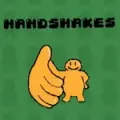
- Items: The primary items used during matches are hand shapes representing rock, paper, and scissors.
Visual style
The digital version incorporates a realistic theme and graphical presentation for the hand symbols.
What makes the game appealing
The title offers quick nostalgic entertainment with simple mechanics accessible to casual players through local or computer matches.
Frequently asked questions
Can I play against another person?
You can play either against a computer CPU opponent or against a friend in the dedicated two player mode.
How many points are needed to win a match?
The first player to reach a score of 3 wins the game.
What controls are available during gameplay?
You can control the action using touch controls or by using the A, S, and D keys alongside J, K, and L on your keyboard.
What happens if the countdown ends before I pick a symbol?
If you fail to make a selection before the countdown ends, the game automatically defaults to choosing rock.